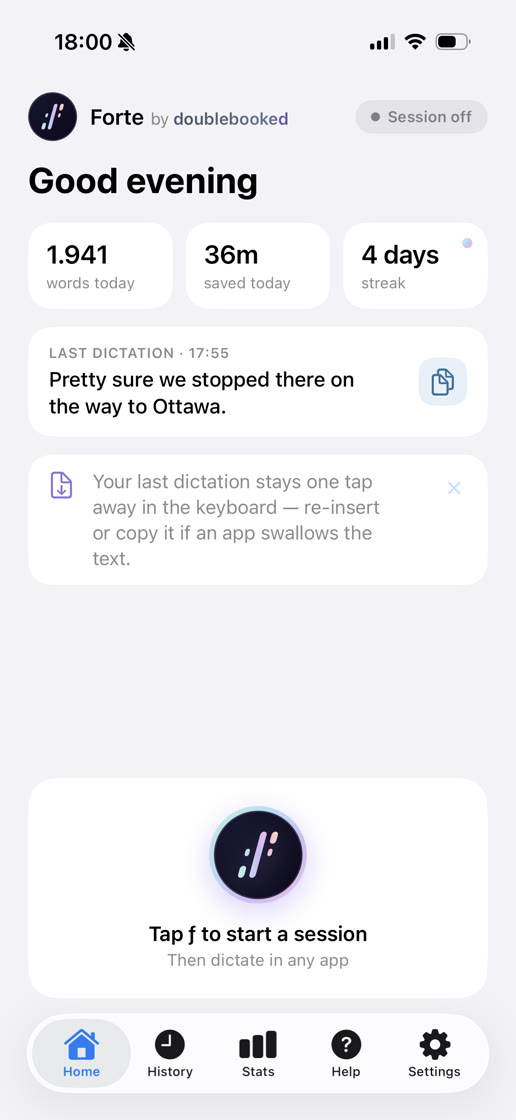
A voice keyboard for iPhone. Tap ƒ, talk, and type at the speed of thought — entirely on your device.
Free during beta · iPhone 11 or later, iOS 26+
Your keyboard is the bottleneck between what's in your head and what actually gets written. Here's what that's costing you.
The idea in the shower. The perfect line for that email, mid-commute. The thing you swore you'd remember. Fleeting thoughts have a ten-second shelf life — and typing takes longer than that. Speak it the moment it arrives, before it's gone for good.
The lead who inquired five minutes ago. The friend still waiting on yesterday's text. The reply you drafted in your head and never sent. When responding takes four minutes of thumb-typing, "later" wins — and later never comes. With your voice, the full answer takes twenty seconds. Send it now, while it still matters.
Walking the dog. Making dinner. Between sets, between meetings, halfway out the door. Typing is the one thing you can't do while doing anything else. Speaking isn't. Get it written without stopping, without looking down, without losing your place in your own life.
Stop working at your slowest speed.
Not a promise — an architecture. There is nowhere for them to go. Read the privacy policy →
Forte runs its speech models on your iPhone's Neural Engine, via Core ML. Your audio is processed where you spoke it, and nowhere else.
No accounts, no analytics, no servers. Forte's App Store privacy label reads “Data Not Collected” — because there isn't any.
One model download, then the network is optional. Airplane mode is a feature demo, not a failure mode.
On the Forte keyboard, in any app. The mic arms and you're bounced right back to where you were typing.
Speak naturally. Say the punctuation when you want it exactly — “new paragraph”, “question mark”.
Your words insert where the cursor was. A Live Activity keeps an End button on the lock screen the whole time the mic is armed.
Teach Forte your names and jargon — highlight a word, tap once. Every entry also fixes its sound-alike misspellings automatically, right after transcription.
Highlight a misspelled word and the keyboard offers corrections — your vocabulary's spellings first. Tap to replace.
Space-bar trackpad with acceleration, word-by-word cursor hops, word delete, quick settings — dictation-first doesn't mean editing-last.
Two tiers today: Good is fastest and smallest, Better is sharper on a recent iPhone. Both run entirely on-device, switching takes a tap, and more tiers are on the way.
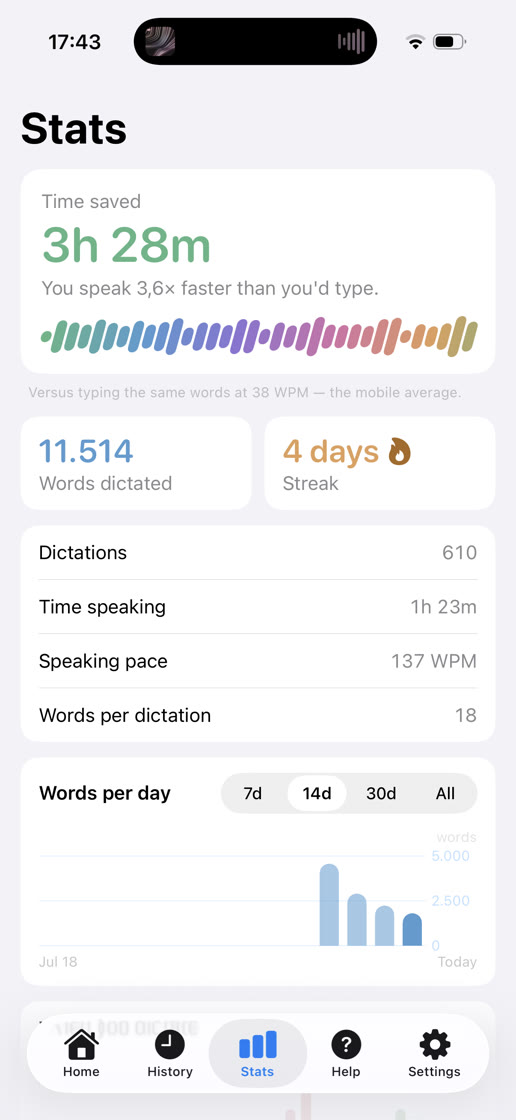
Forte counts the minutes speaking buys you back — plus words, streaks, and pace by hour. Computed on your phone, for your eyes only.
Every dictation lands in History. If an app swallows an insert, the keyboard keeps it one tap away.
No — but you'll stop reaching for it. Forte sits alongside your usual keyboard, one globe tap away, always there when you want it. You speak around three times faster than you type, so within a day or two Forte is where you write anything longer than a word, and the old keyboard becomes the place you pop over to for a quick fix.
iOS keyboards can't use the microphone, so the Forte keyboard hands the recording job to the Forte app and gets your transcript back — a conversation that happens entirely on your phone, inside the app's own protected storage. Full Access is what iOS calls permission for the two to talk. iOS shows the same warning to every full-access keyboard; Forte's keyboard contains no networking code at all, and the privacy policy puts that in writing.
iPhone 11 and later (SE 2nd generation included) on iOS 26 — the floor where on-device transcription gets fast enough to feel instant.
English today, with more languages coming. The wait is deliberate: transcribing speech is the easy part — Forte also writes spoken numbers as digits, punctuates when you say it, and trims the filler so dictation reads like writing. That layer gets built language by language, and English gets to be excellent first.
The beta is free. When Forte ships, it will be a purchase, not a subscription — nothing about on-device transcription costs us monthly, so it shouldn't cost you monthly either.
Forte is in a small private beta on TestFlight. Leave your name and email and we'll send invites in waves as seats open — every tester gets a person, not a pipeline.
Seats are capped while we read every piece of feedback.